

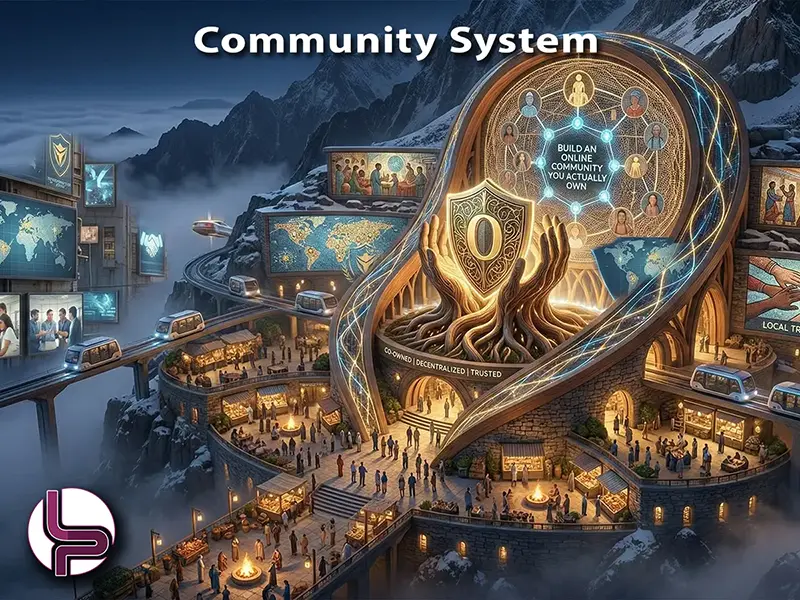
Why a Community Belongs on Your Own Platform
A social-media group is rented space. The algorithm decides who sees what, the platform owns the data, and one policy change can throttle your reach overnight. A self-hosted community reverses every one of those constraints. Every profile, every discussion thread, every photo album lives on your domain, indexed by search engines and accumulating authority month after month. Members log in with the same credentials they use for the rest of your site, and the engagement they generate builds your brand equity—not someone else’s ad platform.
The same engine works in two directions. Outward-facing, it gives membership organizations, hobbyist groups, and educational institutions a community they own outright. Inward-facing, it gives companies and clubs a private intranet for sharing files, coordinating teams, and controlling exactly who sees what—without sending a byte of data to an outside platform.
What the Day-to-Day Looks Like
Members register through a customizable workflow—different profile types can have different fields, approval steps, and access levels. Once inside, an activity stream surfaces status updates, photo uploads, event announcements, polls, and shared files in a familiar social-media feed. Reactions, hashtags, @mentions, and emoji keep interactions lightweight. Groups let sub-communities form around shared interests, each with its own discussions, events, announcements, file sharing, and task delegation. Pages give businesses or departments within the community a branded presence with operating hours, reviews, and follower management.
Events handle everything from casual meetups to formal conferences—RSVP tracking, calendar integration, Google Maps venue pinpointing, recurring schedules, and attendee discussions. The entire experience is mobile-responsive out of the box, so members engage from any device without a separate native app.
Feature Highlights
- Activity stream with reactions, hashtags, @mentions, polls, and reposting
- Groups with discussions, announcements, task delegation, and file sharing
- Pages for businesses or departments with reviews and ratings
- Events with RSVP, Google Maps, recurring schedules, and attendee collaboration
- Photo albums with grid layout, tagging, GIF support, and EXIF data
- Video embedding from YouTube, Vimeo, Twitch, and more
- Audio playlists with Spotify and SoundCloud integration
- Private conversations with file attachments and emoji
- Customizable registration workflows with multiple profile types
- Granular privacy controls per user, per post, and per profile type
- Amazon S3 remote storage for media files
- Anti-spam, invisible reCAPTCHA, and GDPR compliance built in
- In-stream ad placements managed from the backend
- Third-party app directory for extending functionality
Points, Badges, and Gamification
An active community needs more than features—it needs incentives. A built-in points system awards or deducts points whenever members perform specific actions: posting an update, uploading a photo, responding to a discussion, attending an event. The point values are fully configurable, so you reward the behaviours that matter most to your community’s goals.
Achievements layer on top of points. Define badge criteria—five photo uploads, ten discussion replies, first event hosted—and members earn visual badges displayed on their profile. Admins can also mass-assign badges from the backend to recognise contributions that fall outside the automated rules. The combined effect is a feedback loop that keeps members coming back: visible progress, public recognition, and a gentle competitive edge that drives engagement without heavy-handed moderation. Leaderboards surface the most active contributors, giving new members clear role models and giving admins a data-driven view of community health.
Integrated Forum and Paid Memberships
A social activity stream works well for quick updates and casual interaction, but deeper conversations need threaded discussions. An integrated forum component plugs directly into the community layer—member avatars, reputation, and profile links carry over seamlessly. Questions get answers, technical topics stay organized by category, and every thread is a search-engine-indexed page that builds long-tail authority for your site.
Monetisation ties in through an integrated membership-payment system. Define subscription tiers—free, premium, VIP—each with its own access level, profile type, and feature set. Members pay through the gateway of your choice, and the platform handles recurring billing, expiration notices, and access enforcement automatically. The result is a community that funds itself: free members see the value, paid members get exclusive groups or content, and the revenue stays entirely on your ledger.
From Public Community to Private Intranet
The same platform that powers a public-facing community works equally well behind a login wall as a company or organization intranet. Set up department-level groups—marketing, engineering, operations—each with its own file library, discussion board, and announcement feed. Access levels control exactly who sees what: leadership groups stay private, company-wide announcements reach everyone, and project teams share documents only among their members. Because every user inherits permissions from the CMS, a single admin panel governs both the intranet and the public website.
Team building follows naturally. Organize internal events—lunch-and-learns, wellness challenges, quarterly town halls—with RSVP tracking and attendee discussions. Points and badges reward participation just as well internally: award points for completing onboarding tasks, submitting improvement ideas, or mentoring new hires. The activity stream gives distributed teams a shared pulse without depending on a third-party chat platform.
The model extends just as well to niche clubs—vintage car enthusiasts, local cycling groups, breed-specific dog communities—where every member knows the others and privacy matters more than viral reach. And for companies that want a customer community supporting their core business, it becomes a user forum, a knowledge base, and a feedback channel where customers help each other and product insights flow directly to your team.
The Trade-Off
Self-hosting a community means owning the moderation burden. Spam filtering, content policies, and user disputes are your responsibility. The platform provides the tools—anti-spam plugins, reporting workflows, privacy controls—but someone on your team has to wield them. The payoff is a member base, a discussion archive, and an engagement history that belongs entirely to your organization, with no algorithm standing between you and the people who chose to join.
Extension referenced in this article:
EasySocial by StackIdeas • stackideas.com
Full social-networking platform for the CMS. Profiles, activity streams, groups, pages, events, photo/video/audio sharing, gamification with points and badges, private messaging, and an extensible app directory. Integrates with EasyDiscuss for threaded forums and PayPlans for membership billing. 94 reviews on the JED.
